Tuesday, April 10, 2018

Lamplight City: A Detective Game Where It's Okay To Fail

Note: In March of 2017, I presented a talk at GDC in San Francisco as part of a presentation called "The Narrative Innovation Showcase." This post is more or less what I spoke about during that talk.


For the past 2 years, I've been working on my new game, Lamplight City. The elevator pitch I've come up with is "a detective game where it's okay to fail," but what does that mean exactly?

Lamplight City is a detective adventure set in an alternate steampunk-ish “Victorian” past (Since it’s alternate history, that’s why “Victorian” is in quotes) The game is divided up into 5 cases, but features one overarching narrative. Each case features multiple suspects, false leads, moral choices, and lasting consequences, and the general atmosphere and tone of the game is inspired by the works of Edgar Allan Poe and Charles Dickens.

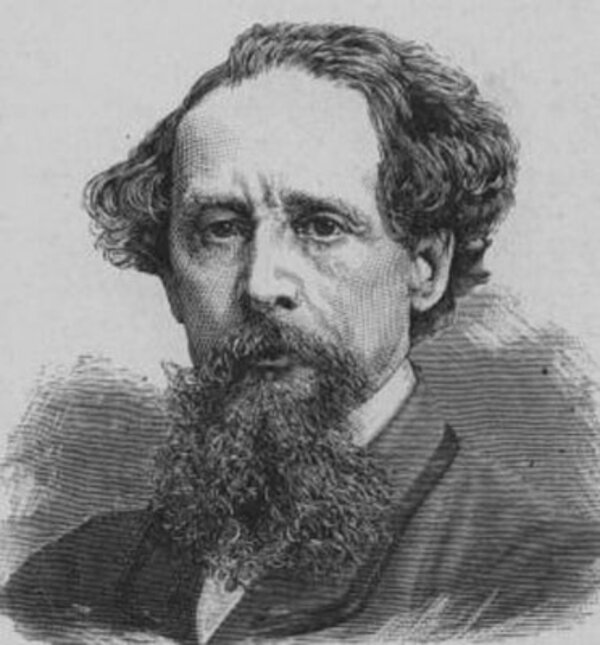

In Lamplight City, you play as a former detective turned private investigator named Miles Fordham, whose partner Bill is killed at the start of the game. Miles begins hearing Bill’s voice in his head, and slowly begins losing his grip on sanity. He is convinced that the only way to get rid of the voice and let his partner move on is to find the person responsible for Bill’s death, although he has no real leads, and also feels guilty and blames himself. Miles keeps himself distracted and hopes to find some link to Bill’s killer by taking on other cases, which make up the bulk of the gameplay. Each case has different leads to follow and different potential suspects. It’s your job as the player to do some actual detective work and figure out which of the leads are useful, which are red herrings, and who actually did it. In some cases you might be called upon to make moral decisions and determine if the person who actually did it deserves to be punished for their crime.  
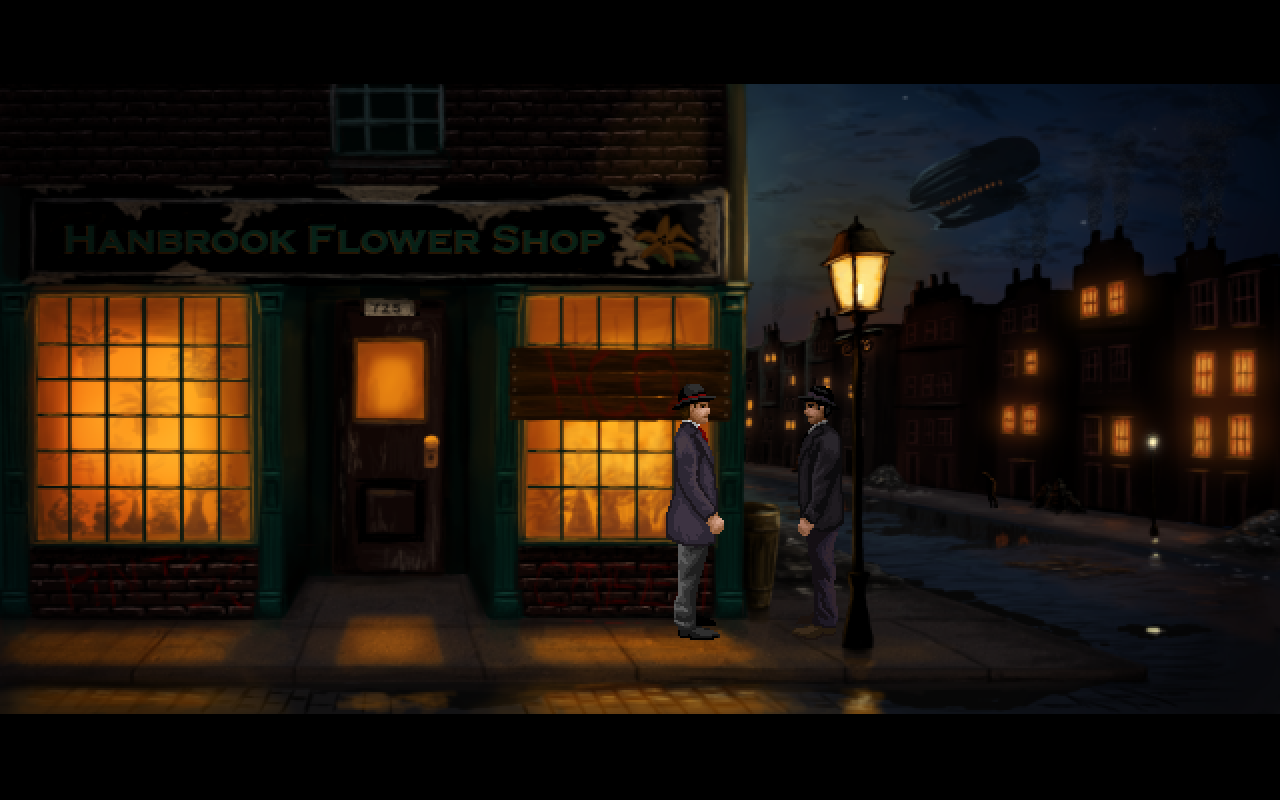

The main thing I wanted to explore and experiment with in Lamplight City was figuring out how to make a detective game with multiple solutions and paths where failure was an option, but also still an enjoyable gameplay experience. I noticed that in most games of this type, you always arrive at the correct solution, no matter what. You’re not allowed to be wrong, and a lot of the time the game will go to incredible lengths to make sure you win. 

Two examples of note are L.A. Noire and Sherlock Holmes: Crimes and Punishments. Both games have a multi-case structure with an overarching storyline. In Crimes and Punishments, each case has several suspects to pick from, and it’s possible to pick incorrectly. In L.A. Noire, some cases also present multiple suspects, but only on one or two occasions does the game actually allow you a choice of who to accuse. 

However, neither of these games ever allow you to get things completely wrong. If Sherlock picks the wrong suspect, the game moves on as if nothing happens, the only consequence being he gets an angry letter from a relative of the accused. Since he is Sherlock, he isn’t really allowed to fail. If a witness is called out on a lie and you pick the wrong option, you simply get to try again. 
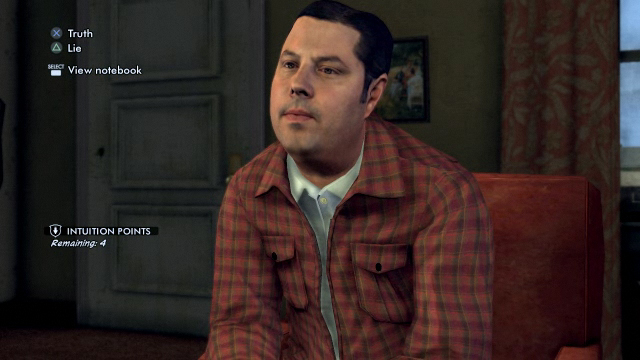
 
The same thing happens in L.A. Noire. In addition to that, if you follow a lead and the game has you do something like tail a suspect or begin a key interrogation, you are given infinite chances to do so. Yes, you get a game over state if they get away or you fail the interrogation, but the game picks up at the start of the sequence and won’t proceed until you complete that particular part of the investigation. Most of the interrogations are meaningless, and the game proceeds towards the right solution even if you get every single question wrong.  

What I wanted to do was present situations where it was possible to have real consequences. If you make an NPC angry, they won’t talk to you any more. Fail to convince them of something, and you won’t get infinite chances. Miss a clue and lose access to a location where that clue is, you’re out of luck investigating that lead.  

So, how do you make this fun? There were two simple solutions I felt were important. 

The first was making investigations non-linear, so any lead could be followed or completed at any time. This is something both L.A. Noire and Sherlock Holmes do to an extent, and as a standard principle of adventure game design, it’s usually guaranteed to keep the player having fun, especially in an investigation. If you get stuck during one path, an entirely different option is available for you to investigate. 

The second was having some choices made in early cases come back to haunt you. Rather than just receiving an angry letter from someone wrongly accused, I felt it would be more interesting to have a reactive world.   

For example, if you’re speaking with the leader of a group of writers, and you decide to taunt her, she’ll get upset and throw you out, then refuse to answer the door, which will close off the ability to continue down this path during the first case. However, her group might come up again as a lead in a later case. If you’ve made her upset, she’ll refuse to speak with you, closing off that lead. 

If you accuse the wrong suspect in the second case, you might run into her angry husband later while investigating a lead pertinent to that case, and he’ll throw you out of his place of business and deny you that lead...assuming you spoke to him in the previous case so he knows who you are. So there’s a bit of flexibility in exactly how bad you can screw things up. There are also little details like newspaper headlines and stories about the cases you solve changing based on your results. 
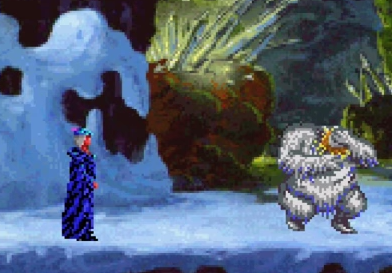

 The most important issue I wanted to overcome was what happened when a dead end was reached. In early adventure games, even up to the mid-90s, there was a design trope which has come to be lovingly named “Dead Man Walking.” This is used to describe a situation in which the player character is not allowed to proceed in the game, usually because they haven’t picked up an item, or have used it incorrectly (for example, being allowed to eat a pie which is needed to solve a puzzle later on) The game won’t let the player backtrack to pick up the item, or allow them to receive the item again, thus creating an unwinnable dead man walking situation. My idea was to take this design trope, but re-purpose it so that while it is possible to get yourself into a dead end situation, it won’t make the game impossible to continue. 

As for how to communicate this idea to the player, since Miles hears his dead partner’s voice, Bill acts as the game’s second person narrator, and so it was easy to have him be able to chime in and indicate that all leads are closed off. Reporting back to your police contact then gives you the option to declare the case unsolved, which moves the story along, although failing to solve too many cases will change elements of the story and have a negative effect on Miles’s self-confidence and mental well-being. 

As players, we’ve been conditioned to accept that playing a game means we always have to win, and that “winning” means getting everything completely right and being an amazing superhuman. Even though playing as a super detective might be great escapist fantasy for the player, I believe that there’s a real possibility for disconnect between player and player character when the game pushes them to be smarter than you are, and not when you’re on equal footing. 

It’s a much more rewarding feeling when YOU solved the case, rather than when Sherlock Holmes wasn’t allowed to fail the case.

Lamplight City will be released later this year. You can wishlist it on Steam currently.

Monday, June 26, 2017

A Clean Break

I am no longer associated with Wadjet Eye Games.

In truth, I haven't been working full time for Wadjet Eye since April 2016. Shardlight was a commercial success, but a series of unfortunate circumstances meant I wasn't affordable anymore, and so I had to be let go. There was no animosity or ill-will, but we decided to keep it quiet to avoid questions, especially having just launched a successful game.

Dave Gilbert graciously said he'd be willing to publish my next game, which I had already pitched to him, and which you now may know as Lamplight City. I've been working on it full time but solo over the past year and change. As time has gone on, Dave has played builds of the game and made suggestions, although it's become clearer and clearer that our creative visions for the game haven't lined up.

And so, we decided it was for the best not to go forward with Wadjet Eye publishing the game. This was a mutual decision, and again, no animosity or ill-will exists between us. Sometimes things just don't work out.

As for the future of Lamplight City, I'm still figuring that out. I've already reached out to another publisher, but I'm taking it step by step. Rest assured, the game will still see the light of day, and I will continue working diligently on it.


Friday, February 3, 2017

Updated Rotoscoping Tutorial: Walk Cycles

When I first started this blog a few years ago, I decided to make a small tutorial for rotoscoping walk cycles, as that is my primary method of animation. Back then, I did a few things differently, and truth be told, they weren't particularly refined or useful. So I wanted to update my tutorial to give more useful information and avoid teaching people to make the mistakes I was making.

For those of you who are unfamiliar with the previous tutorial, or rotoscoping in general: rotoscoping is the process in which an animation is done by filming a model performing an action, and then the footage is painted over. You can look up famous examples such as the films of Ralph Bakshi, Eadweard Muybridge's photography experiments, or Jordan Mechner games like Prince of Persia or The Last Express.

Personally, I find rotoscoping lends itself very well to pixel art, since the lower detail of the sprites allows you to focus more on the complexity of the animations. To get convincingly life-like and fluid animations with rotoscoping, the frame count will generally be on the high side, so working with a sprite that's 80 pixels tall will be quicker than one at a higher resolution.

As a side note, recently a program came out called Paint of Persia which specializes in rotoscoping. I haven't tried it myself, but it seems like a viable alternative if you don't have access to Photoshop or Premiere.

Now then, in the last tutorial I explained the process of filming your model (or yourself) walking. I used this example:

Now, the first thing I want to point out is that this was done outside, in a grassy yard, which creates two problems. First, the ground was at a very minor slope, so the side walk cycle wasn't on a straight line, and second, the grass obscures a good portion of my shoes, which makes proper foot placement a matter of guesswork. So, the first correction is: film your footage somewhere flat where you can see everything. I have since moved, and now film my stuff in a part of my apartment where there is little clutter and ample space. If you have access to a blue or green screen, that's even better.

I use a very basic method of filming: I place my iPhone on a tripod, and then take video of myself walking, which I then transfer to my PC. Loading it into Adobe Premiere, I move the video window to the center and resize it for consistency, then go frame by frame and export 10 frames to make a successful loop. Working with 10 frames, it's usually a good idea to capture every 2nd frame to achieve this.

Use the handy "export frame" button to capture each frame.


After the frames are exported, open them up in Photoshop. Ideally they'll all be the same size, as shown below.


Now to crop them. As mentioned in the previous tutorial, front, back, and diagonal walk cycles (if you choose to do those) will be slightly more tricky since you'll be moving away from/towards the camera. The trick to successful cropping is to keep a consistent point at the top and bottom. I usually make sure to keep the top just above the head and the bottom just below the point of the foot which is closest to the bottom.

Make sure the width is more or less the same too, although that isn't strictly necessary.

Once you've cropped all your frames, you're ready to prep your base model. But as they're all slightly different sizes, now is the time to scale them down to the size your in-game sprite is going to be.

All cropped, but different sizes.

Resized and ready to prep!
Now for the second update which has made my life so much easier: the Photoshop Animation Window. You'll notice it's that little bar at the bottom of the screen with one frame in it. You can access it by going to the Window tab. Before, I used to use the navigator on the top right to sort of eyeball if everything was in the correct position, which led to less than optimal results. But using the Animation Window makes things much much easier, since it's possible to see frame by frame how the animation looks before you even put down a pixel.

In order to do this, you need to paste each of the other frames into your first one. I've named each of my frames "frontwalk#.png" so in this case we're going to use frontwalk1.png as our main frame. So first we would select frontwalk2.png, then click on the small arrow button on the tab at the right of the Animation Window, bringing up a popup menu. From those options, we click on "Copy Frame"


Then, close frontwalk2.png so things don't get confusing, and select frontwalk1.png again. Click the arrow and this time choose "Paste Frame." When the options appear, make sure "Paste After Selection" is chosen.


Repeat this step until all 10 frames have been pasted into frontwalk1.png

Hooray, your base model is complete!
Now you can click on the "Play" button at the bottom of the screen to see your animation come to life! Since it's been cropped at different widths and there might be some slight differences in the framing of the height, it will probably look somewhat jerky at first.


At this point, you can select each frame and nudge it around a bit until you get it mostly centered and smoothed out, so it will look closer to something like this:


So now the fun starts. Make sure to create a New Layer over each frame, then draw your sprite over your model. I generally like to paste the head from the standing sprite on each of the frames first, to account for head bob as well as to have a good point of reference.


Now for side walk cycles, the same principles apply, except it's slightly easier because the height will always be the same. You don't really need to resize your frames before putting together your base animation. Again, because width will probably be different, the initial result will probably be a bit jerky:


To fix this, it's a good idea to keep the head centered and fixed during the entire animation, allowing for bob of a few pixels.


Also don't be too concerned about the sudden jerk at the loop point of the animations if you have a background, since that's what our eye is going to focus on. Just make sure that the character's position doesn't snap too awkwardly between the last and first frames, and you'll be fine (and if you're filming on a blue or green screen, this is a moot point)

So once you've gone through and painted over your base models, you should hopefully be left with some nice smooth walking animations! You can export these animations as individual frames in Photoshop, which also makes it much easier than saving them individually as I used to do.

Final results:


And yes, since you're able to get pretty detailed animations using rotoscoping, it's always fun to give characters a little swagger when the need calls for it :)


Thursday, May 19, 2016

License To Drive B:\

If you were a kid in the early '90s, chances are you'd come home from school and watch Disney Afternoon, a block of cartoons which included such classics as Ducktales, TaleSpin, Darkwing Duck, and of course, Chip 'N Dale Rescue Rangers.  The show took the classic Disney characters Chip and Dale, and reimagined them as crime solving heroes along with their tech-savvy assistant mouse Gadget, cheese-loving Aussie mouse Monterrey Jack, and faithful companion fly Zipper.  Usually, they would have to foil the evil plans of the klutzy Professor Nimnull or the slick Fat Cat (an actual fat cat in a suit) and save the day.  Naturally, their adventures made for a perfect transition to video games.

In fact, in 1990 and 1994, Capcom released two Chip 'N Dale games, both highly acclaimed, and the second one regarded as one of the best licensed NES titles ever made.  However, we're not going to cover those.  Instead, we are going to look at the DOS game known as "Chip 'N Dale Rescue Rangers: The Adventures in Nimnul's Castle."  


Released in 1990 by Hi-Tech Expressions, this game was developed by Riedel Software Productions.  As the title would imply, the Rescue Rangers must venture into Professor Nimnul's castle.  What little story there is is shown in the opening cutscene, where we see that Monterrey Jack has gotten his tail caught in a mousetrap after going on one of his trademark cheese binges.  Although it is never explicitly stated, Monty is apparently caught in Nimnul's castle.  He urges Zipper to go get Chip 'N Dale, and so begins the game.

This is all the story we get. Also, shouldn't his tail be severed?
Despite having two main characters, this is a single player game, unlike the NES versions.  While in those games, you could choose either chipmunk in single player or co-op with 2 players, in this one you more or less control both or just Chip, depending on the level.  Speaking of, there are only 9 levels in this game.  They are divided into 3 stages, each consisting of 3 levels.  
The only difference between levels is that the camera zooms in on the background.
In the first level, Chip and Dale must go from the left side of the screen to the right, passing through holes, and avoiding falling drops of acid and robot dogs who will swallow them whole.  After completing this task 3 times, we move on to the second stage, where Chip must run from side to side avoiding dripping wax, all the while picking up screws and tossing them down to Dale, who is running around below trying to avoid more of those robot dogs.  Apparently, Gadget needs these screws to fix their flying machine for some reason.  In any case, once this set of 3 levels is completed, we move on to the final bit, wherein Chip has to shimmy along a bar on the ceiling collecting screws to throw down to Dale while avoiding being grabbed by a machine's hands.

If you run out of lives, you are treated to a screen where Chip, Dale, and Gadget look very sad.  If you win, you get a screen where Monty is saved.  That's about it for the variety in this game.  There is no music at all, and the only sound is emitted through the PC speaker.  It mostly consists of silly chirpy sound effects which are forgettable.

I can't tell if they're sad about failing, or the fact that there's a pencil coming out of Gadget's giant ass.
So, should you play this game?  If you find a copy, go for it.  It can easily be beaten in 10 minutes if you don't make any mistakes, and is clearly meant for very young children or people who have never played a video game in their life.  It's really a tragedy to see how terrible this game turned out compared to its NES cousins.

Thursday, September 11, 2014

Release Date!

I'm happy to announce that A Golden Wake will be released on October 9th for PC, Mac, and Linux.

Currently the game is available for pre-order, which includes a free copy of the game's soundtrack.

Monday, August 25, 2014

That's a Wrap

A Golden Wake is finished.

I've been waiting a long time to be able to write that, and now I finally can. The game is in code freeze and has been passed over to Wadjet Eye for safekeeping until release. I've had a great time making the game and am extremely proud of it. Hopefully everyone who plays it will enjoy it too.

We'll be releasing in October, though I can't say the exact date just yet. It will be announced, along with pre-order information and a new trailer in the next couple of weeks.

In the meantime, I've been keeping busy with two projects: one is the collaboration with Ben Chandler, who has finished his duties on Technobabylon and is now committed to the project fully.  The other is one which is still very much in its infancy, but will be my next full time project after finishing the collaboration.

As for this blog, I'm not sure what will happen with it. Ben has suggested doing a dev blog for our project, but that would be a separate link.  Maybe this blog will get a revamp, or maybe I'll just leave it as an archive of A Golden Wake's production.  We'll see.

Monday, July 28, 2014

Preview Roundup

A couple of weeks ago, we sent out some preview copies of A Golden Wake, and so far there have been some rather nice things said about the game. 

http://www.cubed3.com/preview/481/1/a-golden-wake-hands-on-pc.html
http://hulkingreviewer.com/home/a-golden-wake-preview/
http://blackmannrobin.com/?p=19758

As for progress on the game itself, I've coded in achievements and am currently scouring the web for some good sound effects.

Almost there!

Monday, July 14, 2014

The Home Stretch

This is it, the home stretch.  The final 5%.  The part of game development notorious for being the most difficult, only because it's so easy to get complacent with yourself about being done.

As of right now, I just need to add some polish to the game, finishing up little extra animations, putting in sound effects, recording commentary, etc.  Release is in September, which currently feels like ages away, but the truth is it will be here before I know it.  On the bright side, I am feeling an ever-growing sense of accomplishment knowing that this project is finally going to be crossing the finish line.

The music (by the wonderful Peter Gresser) and VO have been completed, and I am very happy with both.  I feel like the game I've been testing repeatedly for the past few months now has new life with the amazing audio quality.  But you can be the judge of that yourself with these three previews.

A Golden Wake Music Preview 1
A Golden Wake Music Preview 2
A Golden Wake Music Preview 3

Saturday, June 14, 2014

Busy busy

The past month and a half has been incredibly busy.

I was able to finish all the animations in the game, which meant I was able to add an extra sequence, one which I feel improves the pacing of the second half of the game significantly.  Of course, this means a few new animations, character portraits, and sprites, but it's all worth it.

The game has been cast, and we're about halfway through the recording process.  I'm extremely happy with the performances everyone has given, and I feel the game will get a lot of recognition for the quality of the VO.  Also, music is slowly coming in, and I'm really excited about it as well.

The best part is, we finally have a release window: Fall 2014.  The game will most likely be out at the end of September, or early October at the latest.  I'm extremely excited to have it out and seeing what people think of it.

Right, back to work!

Tuesday, April 22, 2014

Coming Together...Slowly

The past few weeks I've been working exclusively on animations for the game, this coming after playing it and writing down a list of all the necessary (and not so necessary) animations.  In the past when I was working on freeware games like the Ben Jordan series, animation was always something that tended to take something of a back seat.  Since they were freeware, it was a lot easier to sacrifice the more complex and time-consuming animations I may have wanted to include with the excuse that since nobody would be paying for the game, they wouldn't mind so much if they weren't included.

Now that I'm working on something commercial, animations are much more important.  This isn't to say that I'm loading up the game with animation just for the sake of it only because the game is commercial, but it does mean that I need to do a bit more showing rather than telling.  Luckily, having made the Ben Jordan games over the past 10 years has given me quite a bit of practice, so animating isn't as daunting a task as it used to seem.

In other news, I am starting the process of casting voices for the game, which is great, because it means the light at the end of the tunnel is getting slightly bigger.  This will be my first time working with a casting director, as well as with exclusively live actors (as opposed to having some or most of the roles done remotely) so it's pretty exciting.

Friday, April 4, 2014

Cat's Out of the Bag

Although to be fair, it was a very loud cat in a transparent bag.

In news that will surprise nobody (or maybe a very select few,) it was revealed today that the publisher for A Golden Wake is none other than Wadjet Eye Games.  Now that it's out in the open, it's a bit of a relief to be able to talk about it without walking on eggshells.

You can read an article where it's mentioned briefly here on Gamasutra: http://www.gamasutra.com/view/news/214503/As_Blackwell_comes_to_an_end_whats_next_for_Wadjet_Eye.php

Sunday, March 9, 2014

Stop the Presses

In a little over a week, I will be attending the annual Game Developer's Conference (aka GDC) in San Francisco.  This will mark my third year attending, but it's the first one where I'll actually have a commercial game to promote.  I was on the fence about going for a while, but finally decided it was worth it for that reason. 

As such, I am most likely going to be talking to the gaming press about A Golden Wake, which is both exciting and terrifying.  I'll do my best not to come off like a complete goofball.

Tuesday, February 4, 2014

A Golden Wake Updates

I've realized that lately I've talked lots about game design, but said very little on the status of A Golden Wake.

Well, I am pleased to say that the game is fully playable from start to finish.  That is to say, it's in an early alpha stage, still missing several art assets like animations, backgrounds, and character portraits, as well as music, sound, and voices.  The bulk of the design work is over, now it's just time to go in and make final tweaks, as well as add all the bells and whistles.

Also, I'm extremely happy to announce that the game has been signed with a publisher, which means it will actually be up for sale at some point in the future.  An official announcement will likely be made in the next couple of months.

Exciting times!

Thursday, January 9, 2014

Happy New Year

It's been a while, hasn't it?

First off, I should admit that I am a big fat hypocrite.  In the last post I said I wasn't going to go back and redo my character portraits, and then guess what happened?  I learned a better method of doing them and sure enough, I went back and started redoing them all.

Normally, I would frown upon this sort of behavior and ask myself what the heck I was doing, but taking a step back and looking at things objectively, I feel this has been the right decision.  The way they looked previously wasn't awful, but there was a lot of room for improvement.  If A Golden Wake were freeware, I could have left them as they were with no problems.  Since I plan on selling it, I feel I need to raise my own personal bar higher and make them look the best they can within my abilities.

So what exactly did I do?  Basically, I adopted the same method I use for my backgrounds, which is to say I draw them at double the size they are in game, then scale them down.  Combining this with the methods I was shown about gradient maps really allows for a lot more detail and shading than drawing them at game resolution.  A bit of detail is naturally lost when scaling them down, but I feel it's a sacrifice worth making.  Another benefit is being able to make portraits based on real people actually look more like those they're meant to portray.  

Doing portraits at a higher resolution also meant having to make a tough decision: animate or not?  I've always had animated portraits in my games, and even lip sync in the later Ben Jordan games, but unfortunately it's extremely time-consuming to animate higher resolution portraits and make them look good.  So in the end, I decided to abandon the animated portraits.  I'll still have different facial expressions, but no moving mouths or blinking.

So here now are some examples.  Looking at the old versions makes me laugh.


Monday, November 4, 2013

The Artist's Struggle

There's something which has been happening to me lately.  Something that is both a blessing and a curse.  It might happen to you, too, if you do art for your own games.  It's something that needn't be feared, though it is a very easy trap to fall into, and, if your will power isn't strong enough, it will consume you completely and might even cause your project to be delayed, or worse still, never finished.  What is this horrifying phenomenon, you ask?  I'll tell you: it's getting better at drawing.

I know, I know, you must be thinking, "how is getting better at drawing a bad thing?"  I'll be the first to tell you that it isn't.  Improving your art is a great thing.  Growing as an artist, or programmer, or writer, or any other facet of game design is truly rewarding.  You can look back at your previous work and you smile to yourself, pleased in the knowledge that what you're doing now is miles beyond what you thought looked good in the past.  There's just one small problem: what if that previous artwork is comprised of several backgrounds in your game?

We all know making a game takes time, especially if you're doing it on your own.  If you get better at art, it might cause the stylistic consistency of your game to change.  What if you learn a new technique or trick for lighting backgrounds?  You feel it looks amazing, but when you look at your previous work, you realize it would benefit from said technique, so you go back and tweak everything to achieve some sort of similarity.  That's all well and good, but where do you draw the line?  If you have to go back and redo everything every time you learn something new, you'll be improving things forever, and your game will never get done.

This has happened to me already with backgrounds in A Golden Wake.  There are some scenes I've tweaked 3 or 4 times since I drew them just because I've learned something new and want to make them look their best.  Same with the character portraits.  I even posted on this blog demonstrating the new technique I learned.

The other day, I tried yet another technique for character portraits, and I feel it makes them look way better than what I've been doing so far, but here is the dilemma: I've already got 31 characters in the game, and 95% of them have portraits, and most of those are already animated.  So is it worth going back and redoing them all?  At this point, I say no.  I am drawing the line, and leaving this new method for my next game.  Will I look back on A Golden Wake and wish I'd redone the portraits?  It's a strong possibility, but I'd rather have the game finished and out within the next year than delay it for who knows how long just because I wanted to change something.  Who's to say I won't learn something in the meantime that will make things look even better?  To get caught in that cycle is definitely not worth it.

Wednesday, October 16, 2013

More Painting Practice

Last night I finally managed to finish cobbling together Chapter 2 of A Golden Wake.  This involved several placeholder backgrounds which, to be honest, left me feeling somewhat anxious.  The reason for this is because they are set at a very fancy and opulent location, which is going to require an immense amount of detail, and my insecurities came out and made me think that what I wanted to achieve was above my skill level.

Luckily, I have the very talented Sergeant Sweets Tin aka Ben304 to help me out.  Up until recently, his internet didn't have sufficient bandwidth for more than speaking on Skype with voice, but now he is able to share his screen.  Therefore, I have been able to watch him paint.  He's been kind enough to share techniques with me by telling me about them, but watching them in action is much more helpful.  Just today I watched him do a speed painting which was extremely informative, and I think will help me out tremendously with regards to these complex backgrounds.

In the meantime, I went back and touched up a few existing backgrounds yet again, but also decided to practice a bit and do a speed painting of my own.  The result was this:

Still have a ways to go, but I'm pleased with the tree at least.
   Also, for fun last week I decided to redo a background from Ben Jordan 3, but today I revised it a bit and made it a bit more spooky.

No more burn tool!
So basically, it's all about overcoming that mental block where the little voice inside your head says, "no, that's too difficult, you'll never make it look right."  Practice is the best way to silence that voice, because he's an asshole.

Monday, September 23, 2013

Moving Around

I haven't updated in a while, mainly because I've been in the process of moving.  I've finally more or less settled into my Brooklyn apartment, and as of last week have been able to work on A Golden Wake again.  It was really a bit disturbing how antsy I got after not being around a PC to work on it for the better part of 3 weeks.

So, this brief update is just to confirm that things are back to normal, and production will be full steam ahead.

Wednesday, August 7, 2013

Character Portraits Part 2

As of the last post, Eric Feurstein (aka Mr Colossal) was kind enough to show me some Photoshop tricks which have greatly helped with my character portraits.  The day after, I also attempted another speed painting portrait in high res, but this time using a photo for reference for the face so I could get the proportions right. 

This guy was the result.
I was much more satisfied with the look, but I still have a ways to go.  Practice makes perfect, after all!  As far as the trick Eric showed me, I spent yesterday redoing all the character portraits in AGW, basically tweaking them and making the color ramps less flat.  I'm extremely pleased with the result, which, although subtle, I feel makes a world of difference.

Alfie Banks before.

Alfie Banks after some color tweaking.


Monday, August 5, 2013

Strengths and Weaknesses: Character Portraits

There's no denying that when it comes to any creative output, we've all got our strengths and weaknesses.  As long as you figure out what you're good at and what you're not so good at, it opens the way to being able to work on your weaknesses and play to your strengths.

Lately, I have been practicing my art skills in an attempt to grow and improve, and have been able to identify my own personal strengths and weaknesses.  When it comes to drawing people or faces, I find that working in high resolution becomes way more tricky than working in low resolution.  I've been used to working in low res in all the time I've been making games, that it just feels the most natural now.  This isn't to say that I've always been good at low res portraits.  I cut my teeth on the Ben Jordan games, and looking back at the early ones, the character portraits are pretty terrible. 

Why the long face?
As I went on practicing and improving, I began cheating a bit and using photographs for character portraits, tracing over them and being a slave to their shading.  In some cases, the results were ok.

Simon's facial proportions somewhat resemble that of a human being.
In other cases, the results were terrifying.

I want you to have some proper facial lighting, that's what.
Finally, in the last Ben Jordan game, I learned to stop using the accursed dodge and burn tools and actually use different color values for shadows and highlights.  I drew great inspiration from Gabriel Knight: Sins of the Fathers and not only used some dramatic chiaroscuro-esque contrasts, but also some colored lighting.

Ben now carries a blacklight with him wherever he goes.
For A Golden Wake, my methods have differed somewhat.  I'm still using photographs, because I haven't mastered facial proportions exactly as I'd like, but I feel I've gotten a handle on basic shading.  The difference now is I make an outline of the character's portrait as a guide, and then, like a kindergartener coloring, I color within the lines and shade until the portrait is complete.

Not too shabby.
 Finally, to show an example of areas of improvement, here are two speed paintings I did tonight to work on doing faces from scratch without any reference.  First, the high res disaster:

Done in roughly 30 minutes.  Not even 30 hours could have saved him.
And next a very quick low res study:

Less than 10 minutes and he looks more human.

 As you can see, there's lots of room for improvement, but that's what practice is for.


Wednesday, July 17, 2013

Shamless Self-Promotion

It's been a while since I last posted, mainly because I've been busy working on other games besides A Golden Wake.  As I said in the last post about "game sorbets," sometimes breaks are needed.

In the past month, I made a very short and silly game for the MAGS competition called Bertha Butt's Boogie! as well as a game for the One Room One Week competition.  This particular game is called The Rebirth, and was a lot of fun to do, because I collaborated with Ben304 to make 2 individual games which serve as teaser vignettes for something more.  You can get both my game as well as Ben's, called The Reaper right here.

So what about A Golden Wake?  I have gone back and tweaked every single background, as I found a much better lighting technique which makes them look a lot nicer than they did before, though honestly I think I might be the only person to notice this.  I've also been practicing drawing character portraits, and feel I have reached a level I am pleased with for the time being.

On a personal note, I will be moving to New York on August 16, so I expect a bit of a delay in game-making during that transition.  However, my goal is to have Chapter 2 completely playable by the time I leave, so I can focus on getting the second half of the game done once all the dust from moving settles.  I'll definitely remember to back up my game before then, however!